Give your store an agent that answers and sells.
With bitbybit, your agent uses store knowledge to answer questions and recommend products. Connect Shopify for commerce context, and add bitCRM for the follow-up workflows that bring your customers back.
Read merchant reviews on the Shopify App Store · Explore the Shopify integration
Jualan lewat WhatsApp? Lihat perbandingan Bahasa Indonesia →
Find your alternative.
See what bitbybit offers alongside the tool you know. Each comparison covers the workflow, total cost and what switching involves.
Showing all 22 comparisons


No comparisons match those filters. Clear the filters to see all tools.
Meet your agent before your customers do.
Your brand has its own products, policies and way of speaking. Configure them in AI Studio, then use the Playground to try customer questions and refine the agent before launch.
See how the Playground worksAI Studio · Playground
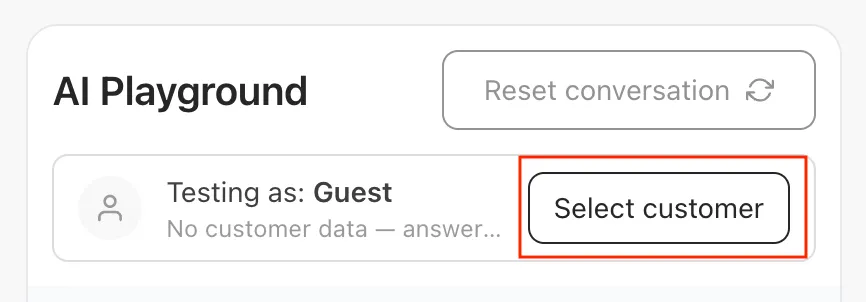
- Ask a question about your products.
- Check an answer against your store policy.
- Test when your team should take over.
Choose a plan for your workload.
Start with the bitbybit products your store needs. Check team and feature limits, AI response allowances and top-ups, then account for WhatsApp messaging fees. You can compare the full cost for your workload before committing.
Bring your next workflow to bitbybit.
Start with one customer journey, then expand. Confirm your connection, data and team responsibilities before disconnecting an existing tool.
Check your connection
Identify your current provider and whether you use WhatsApp Business App or the Business Platform. Confirm number-transfer eligibility and account access first.
Check what can move
List your catalog, contacts, templates and workflows. Confirm export formats and history limits; not every connection imports past conversations.
Test a small workflow
Test product answers, order context and human handoff before going live. Agree on a test setup that avoids duplicate replies; parallel use depends on the connection.
Agree on the cutover
Confirm responsibilities, any interruption and your previous provider’s contract terms. Set a timeline after reviewing your setup.
Before you decide.
Where should I start if I use Shopify?
Start with bitChat for customer conversations and AI Studio to configure your agent. Shopify stays your store record. Test a product question, an order-status request and a human handoff, then explore your Shopify workflow, including the tools you intend to keep.
What if my main goal is repeat orders through WhatsApp?
Start with a customer who has agreed to hear from your brand again. Compare how your team finds purchase context, handles the conversation and follows up. Our Bahasa comparisons cover Qontak, Cekat.ai, Qiscus and Halo AI, with a direct WhatsApp contact for the local team.
Do I need to replace my email or customer-service tools?
You can start with bitbybit for customer conversations and retain tools that already serve other jobs well. Connect your store, decide which tool owns each workflow, and avoid duplicate replies or follow-ups. Check integration requirements before changing your setup.
What should I include in the cost comparison?
Include the subscription, team and feature limits, AI usage, messaging fees and any integrations or tools you keep. bitbybit uses AI response allowances with top-ups. See current plans and usage, and compare the same workload with the competitor’s current offer.
Can I keep my WhatsApp number and history?
Eligibility depends on your existing provider and connection. WhatsApp Business App coexistence differs from a provider migration. Confirm number access, export options, history limits and any interruption before disconnecting your current tool. Read the WhatsApp Business App guide.
How should I read the comparison tables?
“Available” identifies a documented capability. “Depends on setup” means plan, channel or configuration conditions apply. “Not verified” means the exact workflow needs confirmation, not that the product cannot do it. We link public sources and recommend testing the actions you need before deciding.
Put bitbybit to work for your store.
Connect your Shopify store, configure your agent, and try the questions your customers ask every day.
How we compare · reviewed 2026-10-11
We use linked public product information and pricing models. Plan-dependent and unverified workflows are labeled in each comparison. A capability missing from a vendor’s homepage is not proof that it is unavailable.
Spot an error? Email [email protected].