bitbybit vs Qontak
Build direct customer relationships with bitbybit. Give your team an AI agent for product questions, customer conversations and the WhatsApp follow-up workflows that support repeat orders.
+62 877 5529 9328Tim Indonesia · Bahasa IndonesiaUse bitbybit to manage customer conversations and follow-up on WhatsApp. Confirm your catalog, team access and repeat-order workflow with our Bahasa-speaking team.
Consider Qontak when your team needs the CRM and customer-engagement workflows in the Mekari product range.
Before you choose:Test the workflow you need before changing the tools your team depends on.
Put bitbybit to work for your team.
Use bitbybit to manage customer conversations and follow-up on WhatsApp. Confirm your catalog, team access and repeat-order workflow with our Bahasa-speaking team.
Test an exception that needs a person. Check the conversation context and assignment your team receives.
Include subscriptions, usage and any tools you keep. Check allowances before enabling paid features or increasing volume.
Meet your agent before your customers do.
Your brand has its own products, policies and way of speaking. Configure them in AI Studio, then use the Playground to try customer questions and refine the agent before launch.
See how the Playground worksAI Studio · Playground
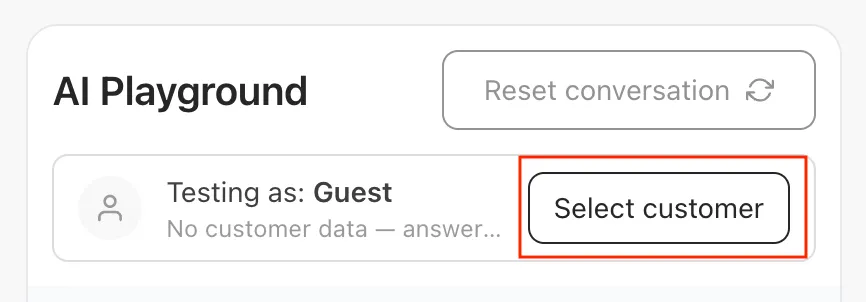
- Ask a question about your products.
- Check an answer against your store policy.
- Test when your team should take over.
Compare the work your team needs.
Availability can depend on plan, channel and configuration. “Not verified” means the exact workflow needs confirmation; it does not mean the product cannot do it.
Read the plan conditions and sources in each row. Not verified does not mean unavailable.
| What we compared | Qontak | bitbybit | Why it matters |
|---|---|---|---|
| AI product answers and human handoff | Confirm the exact AI and handoff workflow with the vendor.Qontak product details | Configure knowledge, instructions and handoff; AI response allowances apply.AI Studio | Try a product question, a policy exception and a handoff with your own store information. |
| Qontak: Confirm the exact AI and handoff workflow with the vendor.bitbybit: Configure knowledge, instructions and handoff; AI response allowances apply.AI product answers and human handoff — why it matters: Try a product question, a policy exception and a handoff with your own store information. | |||
| Shopify customer and order context | Confirm integration method, customer matching and order actions.Qontak integration scope | Connect Shopify; verify the order actions you want to enable.Shopify integration | Shopify stays your store record. Compare what the agent and your team can read and do. |
| Qontak: Confirm integration method, customer matching and order actions.bitbybit: Connect Shopify; verify the order actions you want to enable.Shopify customer and order context — why it matters: Shopify stays your store record. Compare what the agent and your team can read and do. | |||
| WhatsApp follow-up workflows | Confirm your follow-up trigger, sending channel and plan with the vendor.Qontak plans | bitCRM workflows depend on plan, connected channel and message-template requirements.bitCRM workflows | Test a repeat-order message for a customer who has agreed to receive it. |
| Qontak: Confirm your follow-up trigger, sending channel and plan with the vendor.bitbybit: bitCRM workflows depend on plan, connected channel and message-template requirements.WhatsApp follow-up workflows — why it matters: Test a repeat-order message for a customer who has agreed to receive it. | |||
| AI and messaging costs | Ask for a quote covering your users, required products, AI usage and WhatsApp fees; compare the same workload with bitbybit.Qontak pricing | Plan allowances, AI response top-ups and WhatsApp messaging fees affect the total.bitbybit pricing | Compare the same team size, AI usage and message volume, including any tools you will keep. |
| Qontak: Ask for a quote covering your users, required products, AI usage and WhatsApp fees; compare the same workload with bitbybit.bitbybit: Plan allowances, AI response top-ups and WhatsApp messaging fees affect the total.AI and messaging costs — why it matters: Compare the same team size, AI usage and message volume, including any tools you will keep. | |||
AI Studio helps you configure and test the agent. Explore bitChat, bitCRM and the Shopify integration for your workflow.
What should you check with Qontak?
Mekari Qontak offers customer engagement and CRM tools. Evaluate the channels, sales processes and integrations your team actually needs.
Questions for your evaluation
- Test the workflow. Compare a returning customer’s journey from WhatsApp inquiry to order, including team handoff and follow-up.
- Check the scope. Qontak product information describes the current offer; ask about any required action, channel or integration that is not documented.
- Compare total cost. Ask for a quote covering your users, required products, AI usage and WhatsApp fees; compare the same workload with bitbybit.
How will you check the answers?
Before you put an agent in front of customers, test the work you expect it to do. These controls help you review its behavior; AI answers still need ongoing checks.
Test before you launch
Use the Playground to try product questions and policy exceptions. Review the answers and refine your setup before enabling the agent for customers.
Plan the human handoff
Configure when the agent should hand a conversation to your team. Test those cases and check that the person taking over has the context they need.
Set your instructions
Use AI Studio to define tone, policies and the actions the agent can take. Revisit the instructions when your products or policies change.
Review the conversation
Check how the agent handled a customer question and use that feedback to improve your knowledge and instructions.
Start with your store information and the actions you want to enable. Explore AI Studio and the Shopify integration before choosing your setup.
What will your setup cost?
Qontak pricing: Ask for a quote covering your users, required products, AI usage and WhatsApp fees; compare the same workload with bitbybit. For bitbybit, compare the current plan allowances, AI response top-ups and WhatsApp messaging fees. Team and feature limits depend on the plan.
What needs to move from Qontak?
Start with your current connection, data and workflows. WhatsApp Business App coexistence and provider migration have different requirements. Confirm eligibility, history limits and timing before disconnecting your current tool. Read the connection guide.
Identify your current provider and whether you use WhatsApp Business App or the Business Platform. Confirm number-transfer eligibility and account access first.
List your catalog, contacts, templates and workflows. Confirm export formats and history limits; not every connection imports past conversations.
Test product answers, order context and human handoff before going live. Agree on a test setup that avoids duplicate replies; parallel use depends on the connection.
Confirm responsibilities, any interruption and your previous provider’s contract terms. Set a timeline after reviewing your setup.
Common questions about switching from Qontak
When should I choose bitbybit or Qontak?
Use bitbybit to manage customer conversations and follow-up on WhatsApp. Confirm your catalog, team access and repeat-order workflow with our Bahasa-speaking team. Your team needs the CRM and customer-engagement workflows in the Mekari product range. Review Qontak’s current offer before deciding.
Can I keep the tools I already use?
You can evaluate one workflow first. List the tools you intend to keep, check the available integrations and decide which system owns each action. Avoid running overlapping customer replies or follow-ups during a test.
How should I compare costs with Qontak?
Ask for a quote covering your users, required products, AI usage and WhatsApp fees; compare the same workload with bitbybit. Compare Qontak pricing with bitbybit’s current plans, including usage and the tools you retain.
Can I keep my WhatsApp number and message history?
Eligibility depends on your current connection and provider. WhatsApp Business App coexistence differs from a provider migration. Confirm number access, available exports, history limits and the cutover plan before disconnecting anything. See the WhatsApp Business App connection guide.
Also evaluating these?
Explore other tools for related jobs:
How this comparison is built
We link the public product and pricing information used in this comparison. Plan-dependent capabilities and workflows we have not verified are labeled separately. Confirm current terms and test your required actions before deciding.
Last reviewed: 2026-10-10 · Spot something out of date? Email [email protected] — we’ll fix within a week.
Try bitbybit on your Shopify store.
Test product questions, order context and human handoff. Confirm plan allowances and connection requirements before you go live.