
WhatsApp integration for WooCommerce
Help shoppers choose a size or ask about exchanges before checkout. The WooCommerce setup starts with a bitChat snippet on your WordPress storefront.
- Storefront chat
- Your WordPress maintainer adds the snippet once in a site plugin or child theme.
- WhatsApp AI chat
- Your team connects its business number in bitbybit and gives the agent your store policies.
- Order updates
- Your developer connects store data for private order lookups and shipping messages.

 Store assistant
Can I exchange the beanie if the fit is wrong?
Yes, if it’s unworn. I can show you our exchange guide.
What do you want to connect?
Put AI chat on product pages
Install the widget once, load your size or exchange guide, and test replies from a product page and WhatsApp.
Read the guide Fulfillment eventMessage once per parcel
Choose between a fulfillment event and an order webhook. Test split shipments, digital orders and retries.
Read the guide Customer segmentReach opted-in guest buyers
Build a repeat-purchase audience that includes eligible guests and excludes opt-outs and refunded purchases.
Read the guideWhere does a WhatsApp reply go?
Maya asks Willow Store about exchanging a gift. A teammate replies in bitChat, and Maya reads the answer on her phone. Both views show the same fictional conversation.
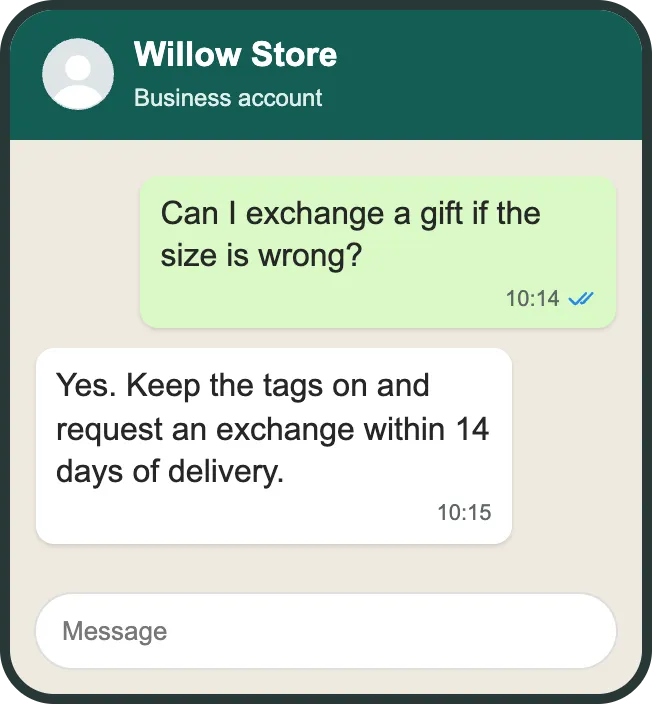
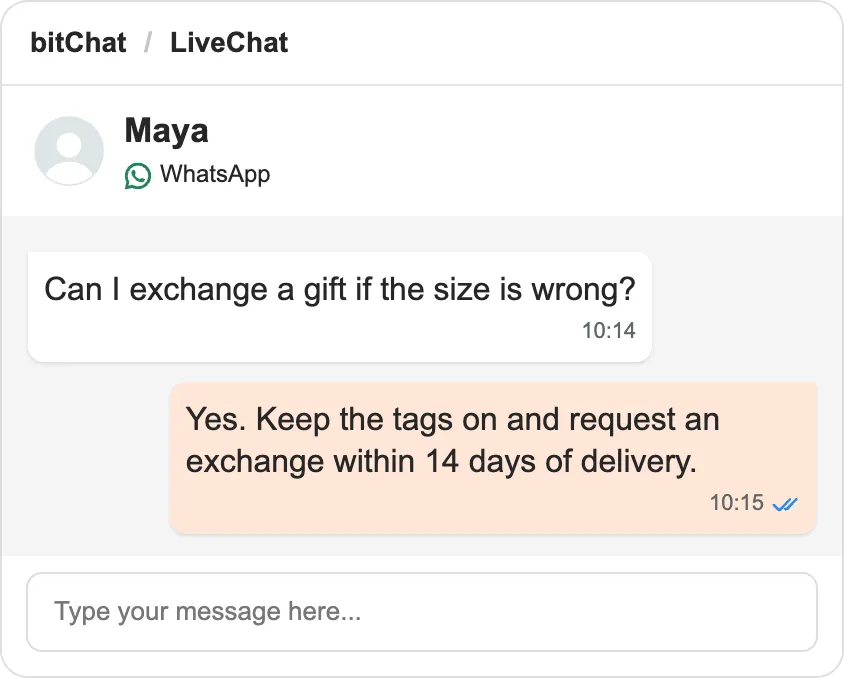
Try it with your team. Message your connected number from a test phone. Open the conversation in bitChat LiveChat, send a reply and check that it reaches the same phone.
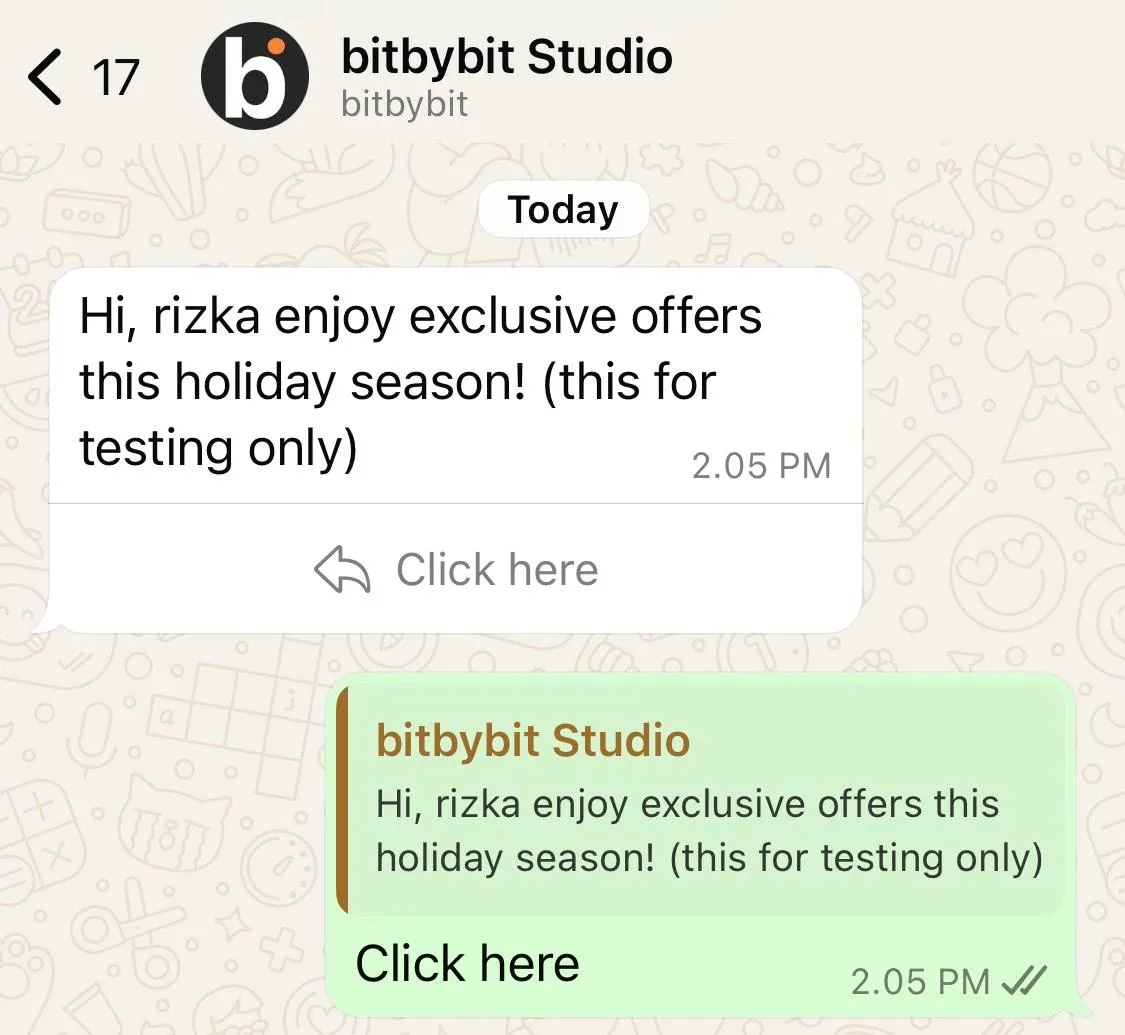
View the original WhatsApp delivery test
What else can you do with WooCommerce?
Bring a shopper into a conversation, help them finish a cart, or give a returning customer a reason to come back. Choose the workflow you want to try.
Turn social visits into product questionsbitLink · Merchant setup
Put your beanie collection and a WhatsApp sizing button in your Instagram bio. A shopper can ask about fit before choosing a colour.
- In bitLink, choose Add Section → WhatsApp. Enter the business number connected to bitChat, give the button a specific label such as “Ask about this product”, and save.
- Add a regular link to the relevant WooCommerce product or collection. Publish your bitLink URL in your social bio.
- Open the bio on a phone. Check the product destination, then tap WhatsApp and send a question. Look for that message in bitChat.
Recover an abandoned cart on WhatsAppStore event + Messaging API · Developer setup
Give a shopper who paused at checkout a way back to their basket and a chance to ask for help.
- For WooCommerce Checkout Blocks, a checkout draft can exist while the shopper is still typing. Have your developer record the last activity and check the order status again after your chosen delay. For a classic checkout, capture the cart in the checkout integration you use.
- Choose how long to wait. Your connector needs the cart reference, last activity, a store-issued recovery link, the buyer’s phone and their permission for WhatsApp marketing. Skip anonymous carts, opt-outs and completed checkouts.
- Immediately before sending, recheck eligibility. Send one approved marketing template through the bitbybit Messaging API and record the reminder against that cart to prevent repeats.
Try it. Leave one opted-in test cart unfinished and complete another before the delay ends. Only the unfinished cart should receive a reminder. Open its link on your phone and check the items and quantities.
Bring members back with a loyalty rewardbitCRM campaign · Merchant setup
Invite eligible repeat buyers to use a WooCommerce coupon on their next order. If your program includes guest buyers, test one guest record alongside a signed-in member.
- Start with your existing rewards program. Export eligible members who have agreed to WhatsApp offers. Remove anyone who opted out or whose reward has expired or been used.
- Import that audience into bitCRM and select it for a WhatsApp campaign. Use an approved marketing template that explains the benefit, where to claim it and any expiry. Link to your own store’s rewards page.
- Send to a team member first. Open the link, sign in as the test member and apply the reward at checkout. Check the discount and remaining balance in the system that issued it.
Using bitLoyalty? Native program setup covers Shopify and bitbybit Commerce. For a custom connection, first confirm loyalty access in your workspace. Have your developer map one test member to a bitbybit customer, read their wallet, then test a points adjustment and its reversal. Applying a reward in WooCommerce checkout is a separate store integration.
How does a shipping update reach WhatsApp?
Your store knows when the parcel ships. A developer connects that event to the approved message your customer receives.
- WooCommerce
The order ships
With WooCommerce Fulfillments enabled, a plugin receives the fulfilled record for the items in this parcel.
woocommerce_fulfillment_after_fulfill - Your connector
Check the recipient
Check the fulfillment contains shipped physical items, verify buyer permission and send once per fulfillment ID.
- bitbybit
Send the update
The Messaging API sends your approved WhatsApp template with the buyer’s order reference.
Template API reference ↗
Before you connect.
Last reviewed: 2026-11-22 ·Back to all integrations