AI Studio — Build No-Code Agents That Actually Do the Work
Launch quickly with prebuilt skills, connect the right knowledge, define agent actions and handoff rules, and test safely in the playground before going live.

Start Fast
Start fast with prebuilt skills.
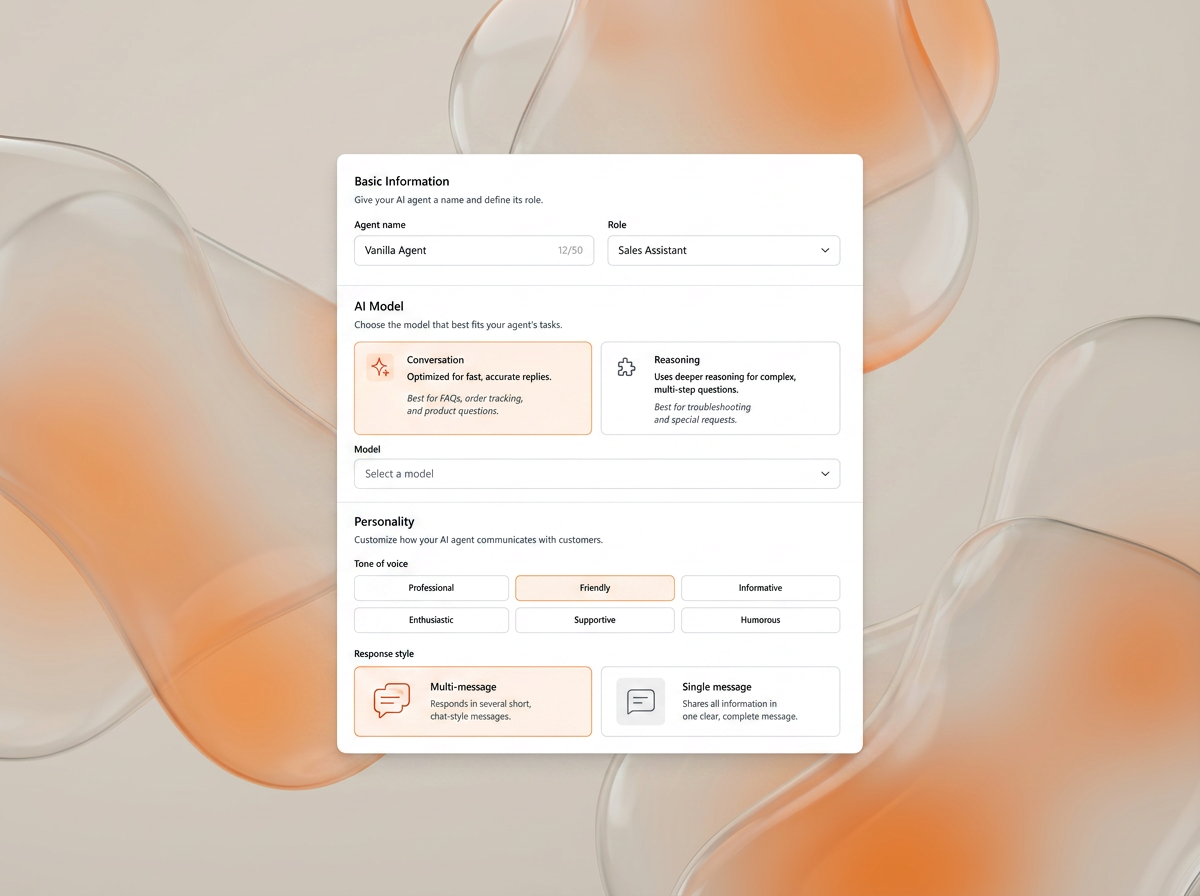
AI Studio is designed so teams can get live quickly without starting from a blank screen. Skills give you a practical starting point for support, sales, and commerce workflows.
Start with a support or commerce workflow instead of spending your first week inventing the structure from scratch.
Skills give teams a faster path to deployment while still leaving room to tune the setup for the brand and workflow.
Prebuilt does not mean rigid. It means you start from something useful and make it your own.
Knowledge
Build a knowledge base your agents can actually work from.
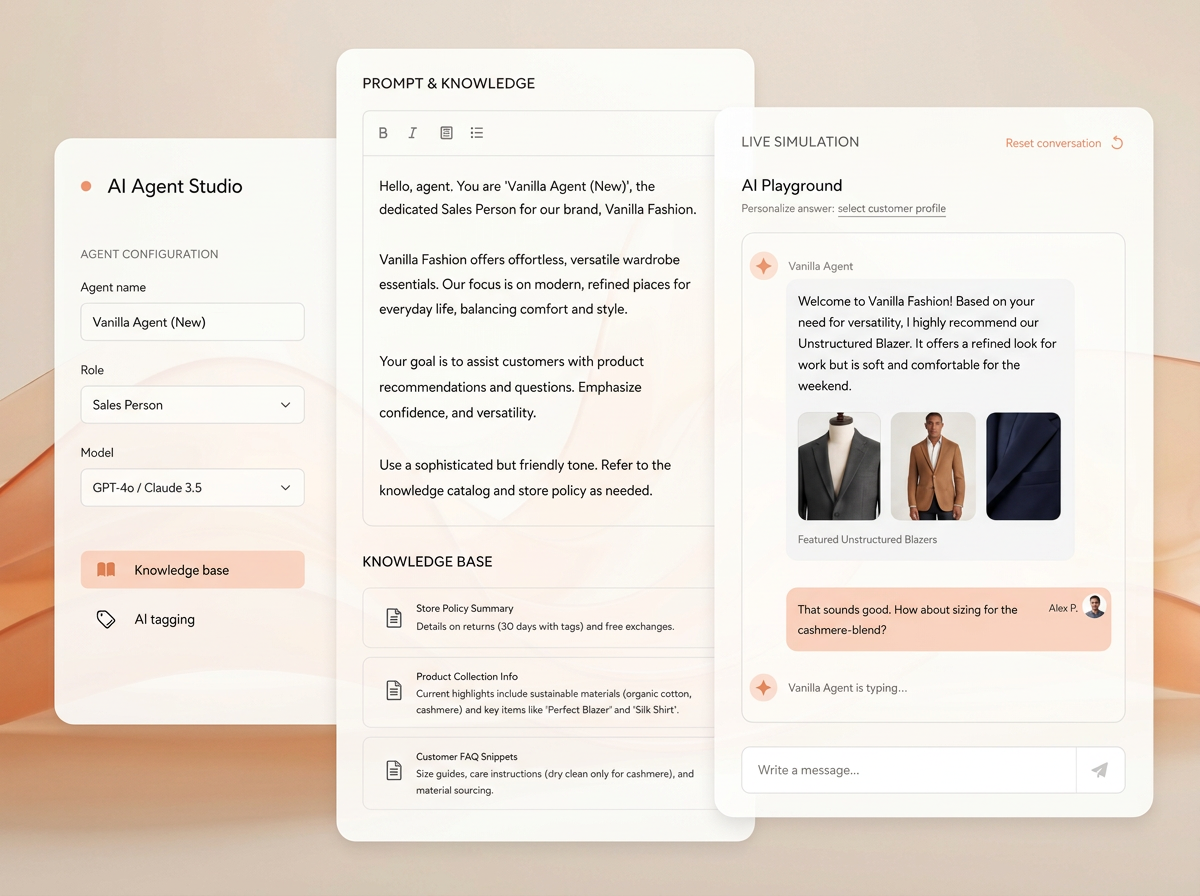
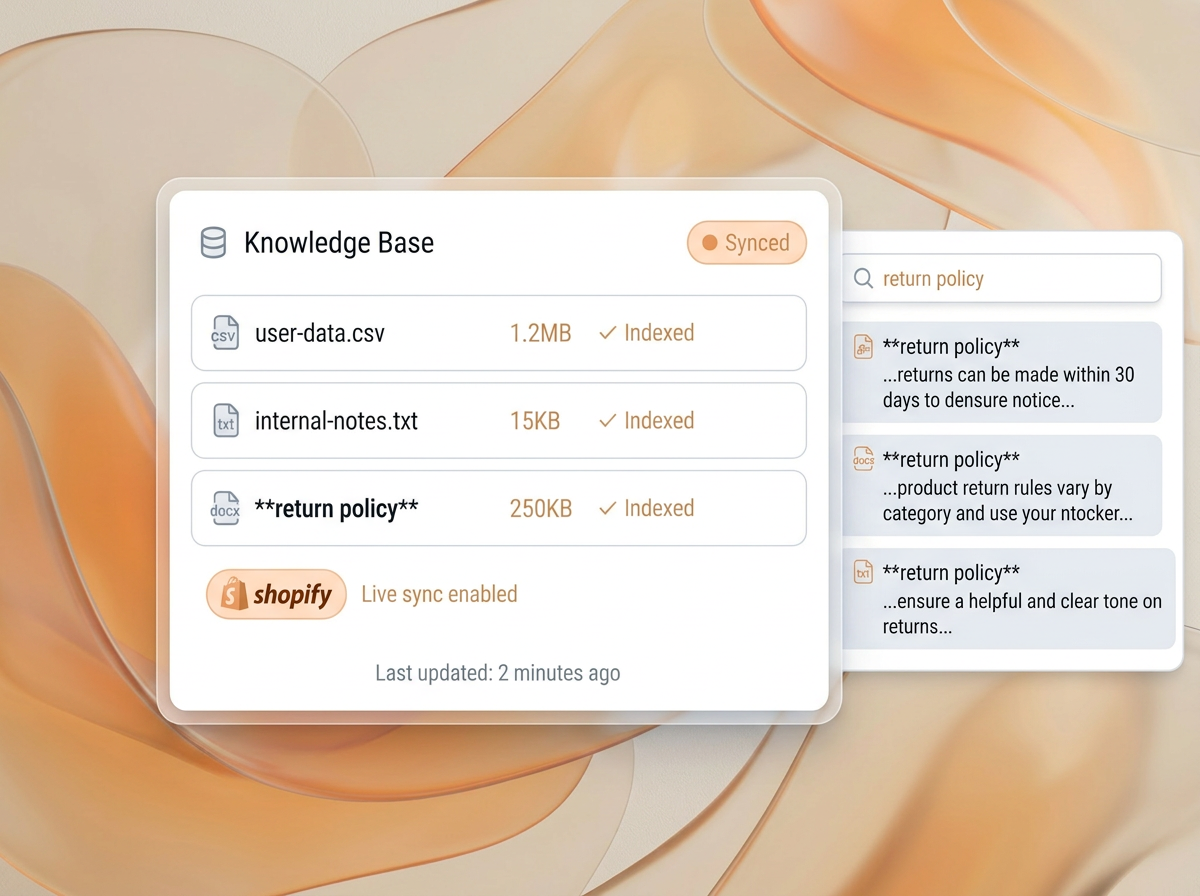
The knowledge layer is where AI Studio moves beyond a prompt box. Teams can connect documents, links, and structured business knowledge that agents should reference when answering or acting.
Policies, product information, brand details, and internal guidance can all be connected so the agent works from the right source material.
A stronger knowledge setup helps teams control quality before the conversation ever reaches a customer.

Knowledge is part of the agent setup, not an afterthought bolted on after launch.
Control
Configure behavior, actions, and handoff.
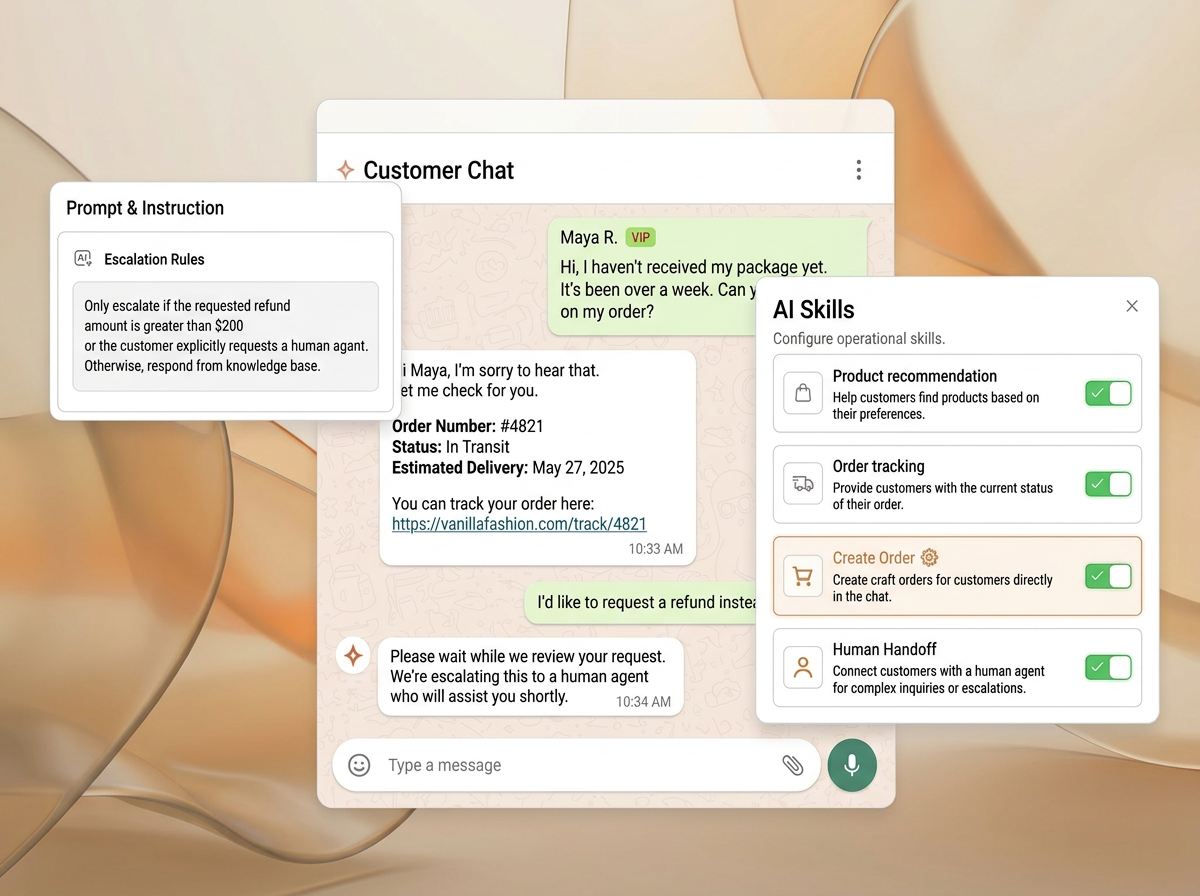
Teams can define what the agent should do, where it is allowed to act, and when it should escalate to a human instead of improvising through edge cases.
The setup can govern actions and boundaries so the agent behaves like part of the operational system rather than just a text generator.
Escalation rules are configurable, so teams control when the agent hands off and what information moves with the conversation.
Hand off when confidence drops, approval is needed, or policy exceptions are detected.
This is where AI Studio separates from simpler builders that stop at prompt editing.
Playground
Test everything in the playground before launch.
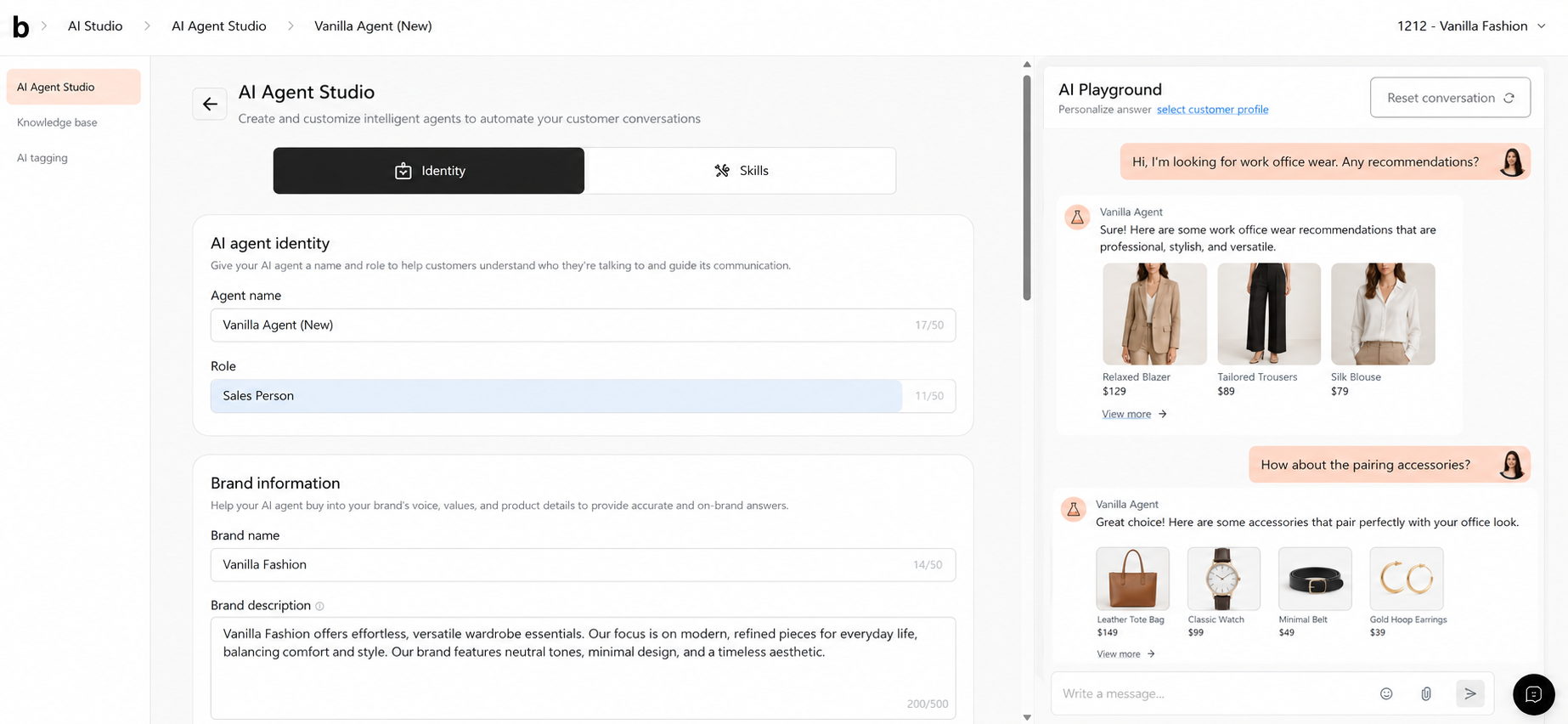
The playground makes it easier to test responses, check the knowledge setup, and validate handoff behavior before you expose the agent to live customer traffic.

Teams can test with intent before launch instead of treating production conversations as the first QA pass.
Pick the skill
Start from the use case you want to launch first.
Connect the knowledge
Add the policies, product context, and brand guidance the agent should use.
Define behavior and handoff
Set the actions and escalation rules before going live.
Test and refine
Use the playground to see how the agent behaves before rollout.
Why Teams Choose AI Studio
Easy to launch, powerful to customize.
Prompt-only builders make it easy to start but hard to control. AI Studio is built for teams that want a faster launch without giving up the ability to define how the agent actually works.
Better Together
AI Studio is where agent logic becomes usable across the rest of the platform.
The builder is most valuable when the agent it configures can go live in service and feed data back into marketing workflows.
AI Studio + bitChat
Agents configured in AI Studio can go live in bitChat with the right knowledge, action boundaries, and handoff rules already defined.
AI Studio + bitCRM
Signals and tags produced by deployed agents can feed segmentation and campaigns, so agent behavior improves both service and lifecycle marketing.
FAQ
The goal is to make launch fast without turning the builder into a black box.
Launch quickly without giving up control over how the agent works.
Start a free trial or book a demo to see how AI Studio helps teams activate skills, connect knowledge, test safely, and deploy with confidence.