AI Studio

Your AI agent,
set up in minutes.

Teach it your business — your products, your policies, your tone. Let it handle customer conversations, take action when needed, and pass to your team at the right moment. No coding required.

Start free trial
Works with WhatsApp Shopify
Main dashboard / primary product screenshot
Trusted by 1,000+ brands
BenQFavoHiloL-MenNutrisariOuterbloomTorchWdank
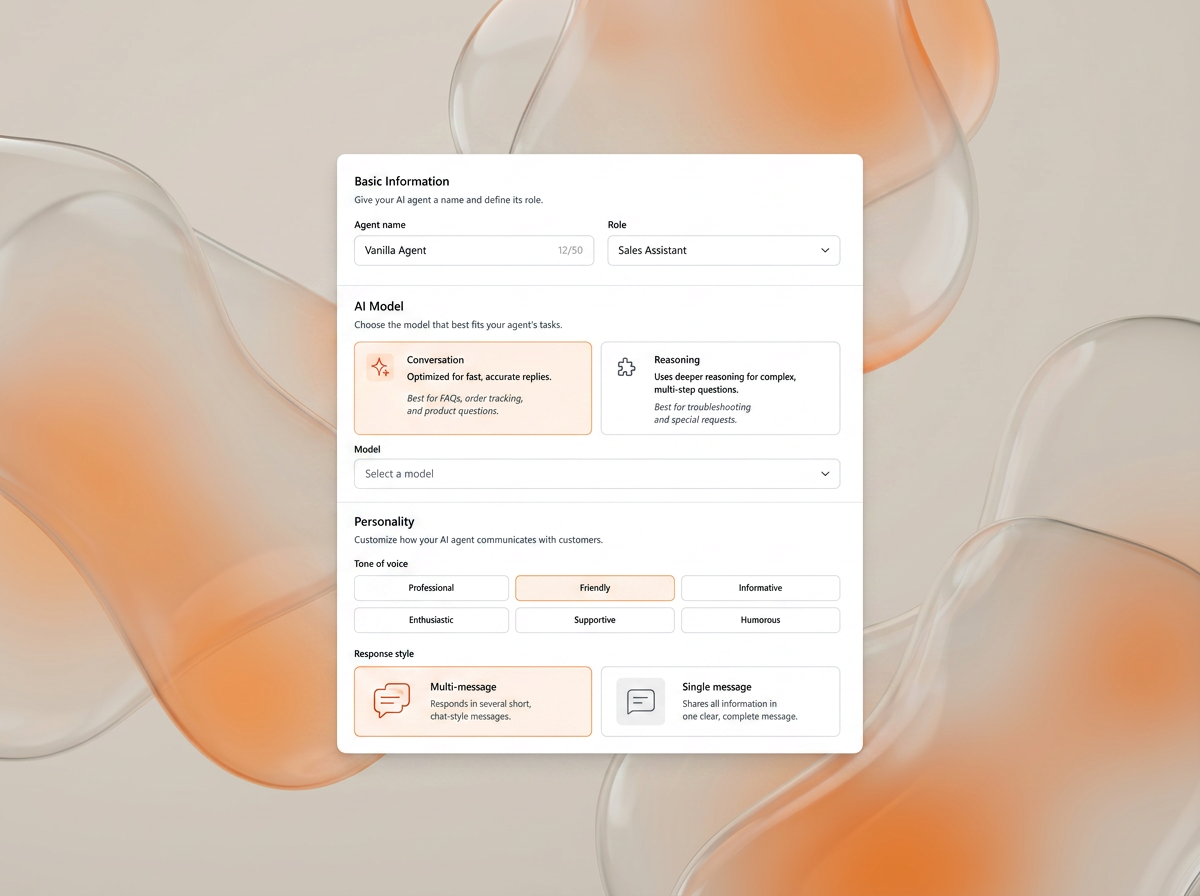
Persona & Tone

Give your AI a name,
a role, and a personality.

Think of it like onboarding a new team member. You tell it who it is, how it should talk to people, what topics it handles, and what it should never touch. It follows your rules — every single time.

  • Set your brand's tone — friendly, formal, or anywhere in between
  • Define what the agent handles and what it doesn't
  • Works consistently across every conversation, every channel
  • No coding — just fill in the fields and you're done
Persona & tone setup
Your Business Knowledge

It knows your business.
Not the internet's version of it.

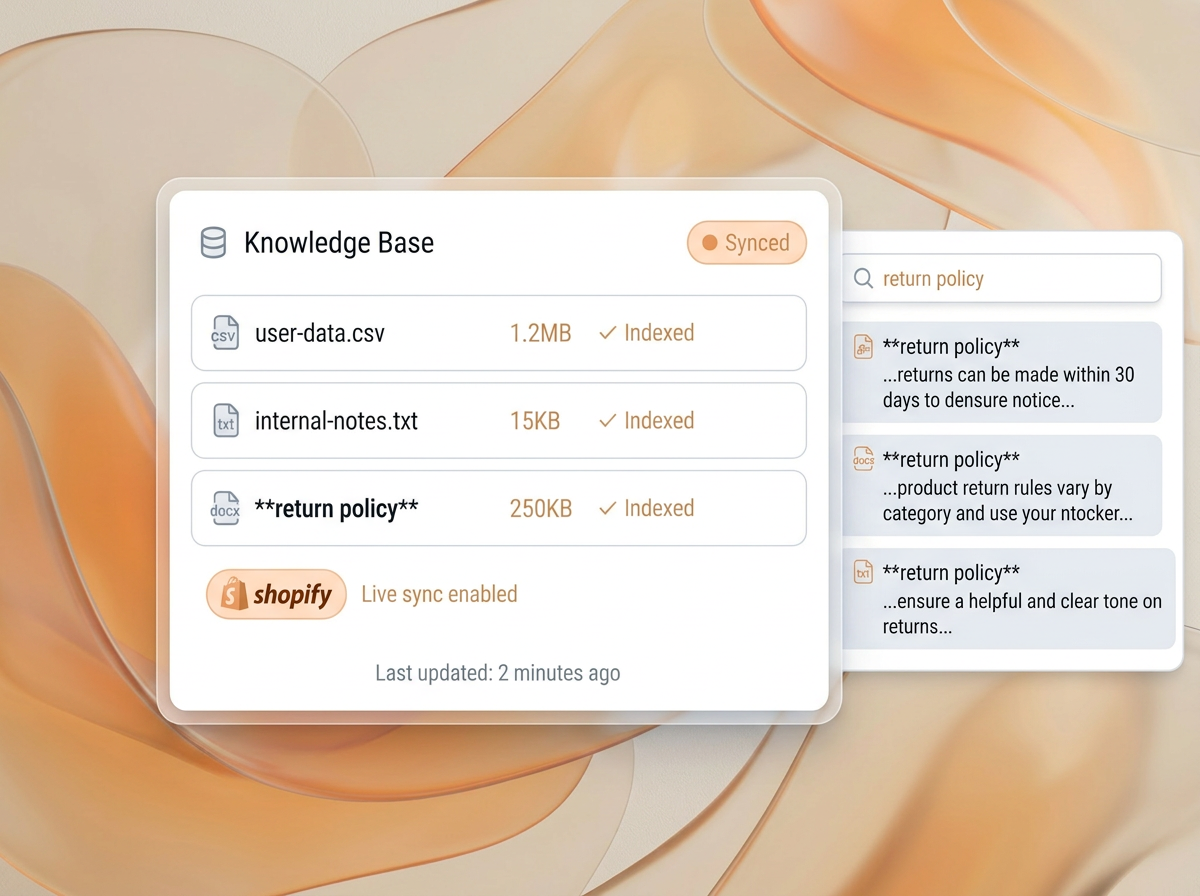
Upload your documents, policies, product info, FAQs — anything someone might ask about. Your AI answers only from what you've given it. No made-up answers, no generic guesses.

  • Upload PDFs, docs, spreadsheets, or paste any link
  • Connect Shopify — catalog syncs automatically, always current
  • Answers questions about your products, services, policies, and processes
  • Only speaks from your information — nothing fabricated
Knowledge base setup
Actions & Handoff

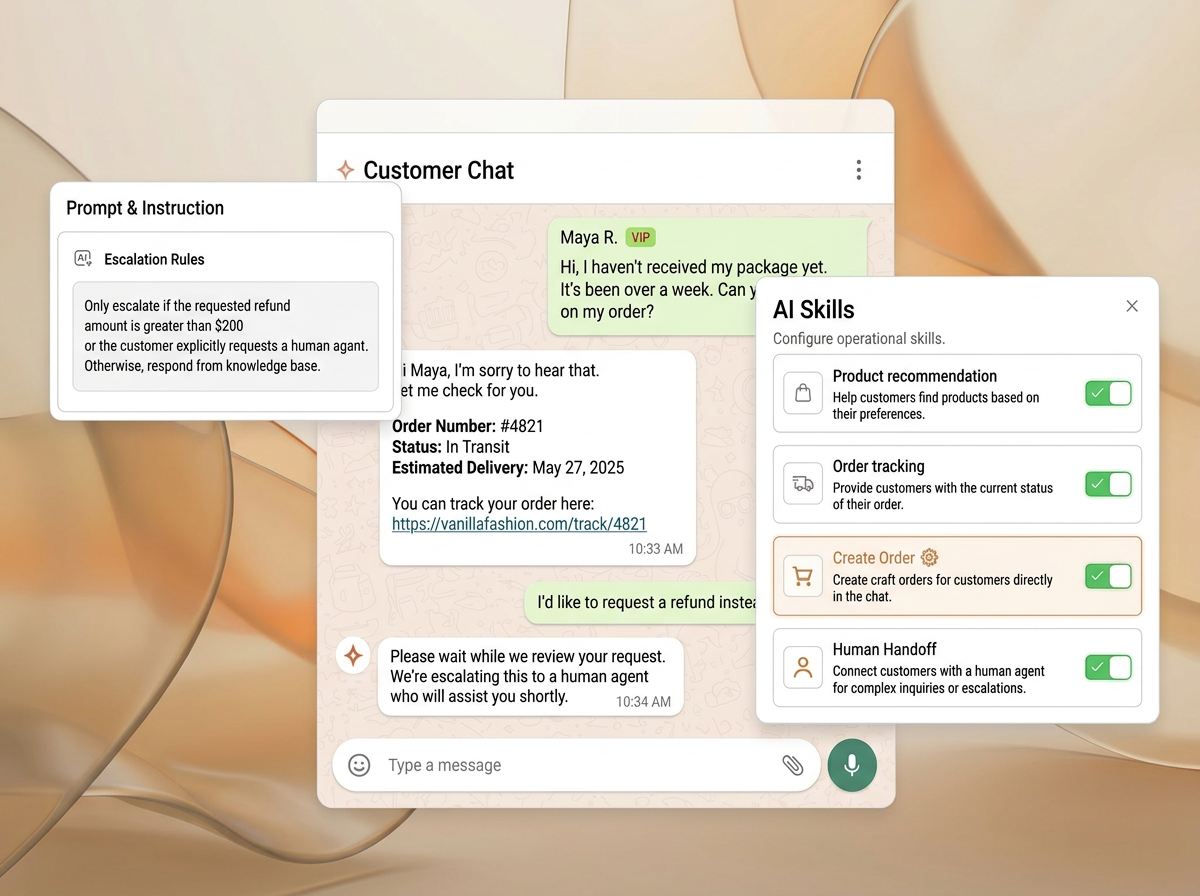
Gets things done. Knows when to hand off

Your AI doesn't just answer and wait. It takes real actions based on what you allow — and when something needs a human, it hands off the full conversation so nobody has to start over.

  • Look up orders, book appointments, qualify leads — you define what it does
  • You control what it handles alone vs. what needs your team
  • Set topics it should never touch — always escalates those
  • When it hands off, your team gets the full conversation — no context lost
Actions & handoff flow

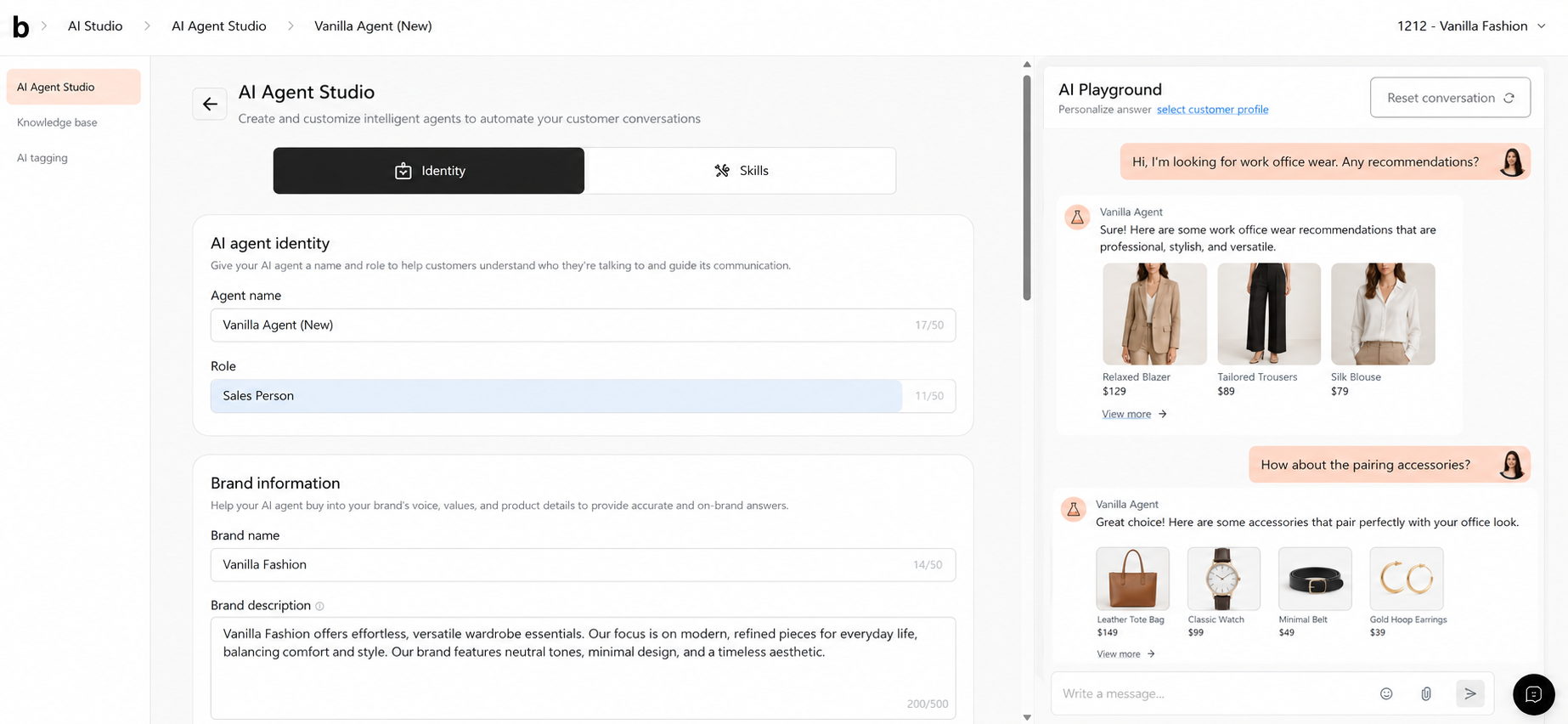
Chat with your AI yourself before your customers do.

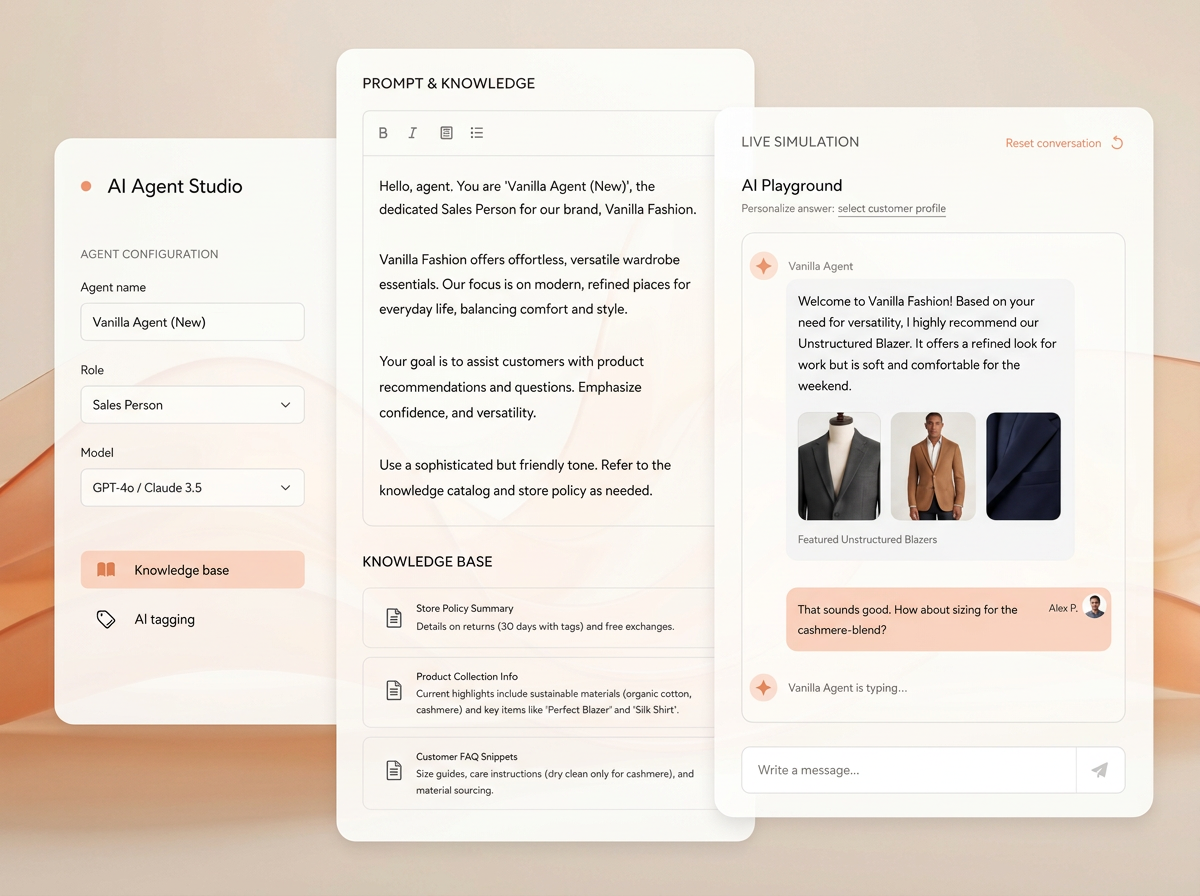
AI Studio has a built-in playground where you can have a real conversation with your agent and see exactly how it behaves. Fix anything that's off, then go live with confidence.

AI Playground interface
01

Set everything up

Add your products, policies, and tone. Pick which actions your AI can take. Done in minutes, no technical knowledge needed.

02

Try it in the Playground

Have a real conversation with your AI. Ask what a customer would ask. See how it responds — and adjust anything that feels off.

03

Go live when you're ready

Happy with how it works? One click and it's live on WhatsApp, Instagram, or your website. No engineers, no deployment process.

04

Keep making it better

See what customers ask, spot gaps, and update your AI anytime. The more you use it, the sharper it gets.

The bitbybit ecosystem

AI Studio is stronger with the platform.

AI Studio + bitChat

Multi-Platform Deployment

Agents configured in AI Studio go live in bitChat with knowledge, action boundaries, and handoff rules already defined — across WhatsApp, widget, Instagram, and Facebook.

Learn more →
AI Studio + bitCRM

Behavioral Data Sync

Tags and signals from deployed agents feed segmentation and lifecycle campaigns — so agent behavior improves both service and marketing.

Learn more →
AI Studio + AI Commerce

AI commerce on WhatsApp

Commerce agents built in AI Studio handle discovery, recommendations, and order capture — connected to live catalog and customer data.

Learn more →

Support outcomes

See how agents configured in AI Studio produce better resolution quality, cleaner handoffs, and smarter escalation in real customer interactions.

Learn more →
Not just another AI chatbot

Not just another
AI chatbot.

Generic AI tools give you a chat box and wish you luck. AI Studio is built for commerce teams who need their AI to actually work — with your products, your rules, and a real safety net when things get complicated.

Capability Without AI Studio AI Studio
Knows your business Gives generic answers. It does not understand your products, policies, or how your business operates. Connects to your product catalog, business data, and knowledge base so responses stay accurate, current, and grounded in your business context.
Train before launch You only discover gaps after customers start asking real questions. Use the built in AI Playground to test real conversations, refine instructions, and train responses until they feel right before going live.
Improve over time Changing behavior often means rewriting prompts or starting over. Update products, policies, workflows, or rules anytime. Changes go live immediately and improve future conversations.
Human handoff No smooth way to bring in a human. Customers often have to repeat themselves. When your team steps in, they get the full conversation history and context. No information is lost.
Takes action Can answer questions, but cannot actually do anything. Goes beyond chat. It checks order status, recommends products, creates draft orders, and triggers actions directly inside the conversation.
FAQ

Questions about AI Studio.

What is AI Studio and what does it actually do? +

AI Studio is the place where you build, configure, test, and deploy AI agents for your business. It is not a prompt box. It is a full control environment — you connect knowledge, define what actions the agent is allowed to take, set guardrails and escalation rules, test behavior in a simulation environment, and deploy when the agent is ready. The goal is operational confidence, not just a fast launch.

What is the difference between a prompt and an AI agent? +

A prompt generates text. An AI agent takes action. In AI Studio, you configure agents that can check order status, trigger workflows, route conversations, escalate to the right human with context attached, and follow escalation logic you define — not just answer questions from a script. The difference is in the actions, the guardrails, and the operational logic behind the reply.

What controls do I have over how the agent behaves? +

You define the knowledge base the agent works from, the actions it is allowed to take, the guardrails that keep it on-brand and on-policy, and the exact escalation conditions that send a conversation to a human. You also set what context and summary travel with the handoff. AI Studio is designed so non-engineering teams can control agent behavior without writing code.

How do I test an agent before it goes live? +

AI Studio includes a simulation environment where you can run test conversations, check how the agent uses its knowledge base, validate that escalation triggers fire correctly, and see how handoff context is formatted. You test against your actual configuration — not a generic demo mode — before any live customer traffic touches the agent.

Can I improve the agent after it is deployed? +

Yes. Post-launch improvement is part of how AI Studio is designed to be used. You can review conversation logs, identify where the agent got things wrong, update the knowledge base or escalation rules, and re-test without redeploying from scratch. Agents are not a launch-and-forget configuration — they get better as you iterate.

Build AI that works like part of your team.

Design AI agents that understand your business, follow your rules, and take action across real customer conversations.

No credit card required Free 14-day trial Cancel anytime