
Build, Test, and Control AI Agents That Actually Do the Work.
Set up prompts, knowledge, actions, guardrails, escalation rules, and human handoff in one place — then test, refine, and deploy agents that are ready for real operations.

Picking a model is the easy part. The hard part is making the agent behave correctly — in your business, for your customers, within your policies. AI Studio is where that control lives.
Build
Agents are only as good as what you put into them.
AI Studio is where you connect the inputs that make an agent actually useful: prompts, business knowledge, action definitions, and the rules that keep behavior on-brand and on-policy.
Define the agent's persona, scope, communication style, and boundaries. What it knows. What it does. What it never does.
Upload policies, product information, support documentation, and brand guidance. The agent works from your source material — not from guesswork.
Configure what the agent is allowed to do: check order status, trigger workflows, update records, initiate returns. Agents that only answer questions are only half the product.
The agent is only as reliable as the inputs you give it. AI Studio makes those inputs explicit and controllable.
Knowledge
Connected knowledge. Grounded answers.
The knowledge layer is where AI Studio moves beyond a prompt box. Teams connect documents, links, and structured business context that agents reference when answering or acting — so responses are grounded in the right source material.
Policies, product details, brand rules, and internal guidance — all available to the agent at the point of conversation.
A well-configured knowledge base prevents hallucination and off-brand responses. You define the source. The agent stays within it.
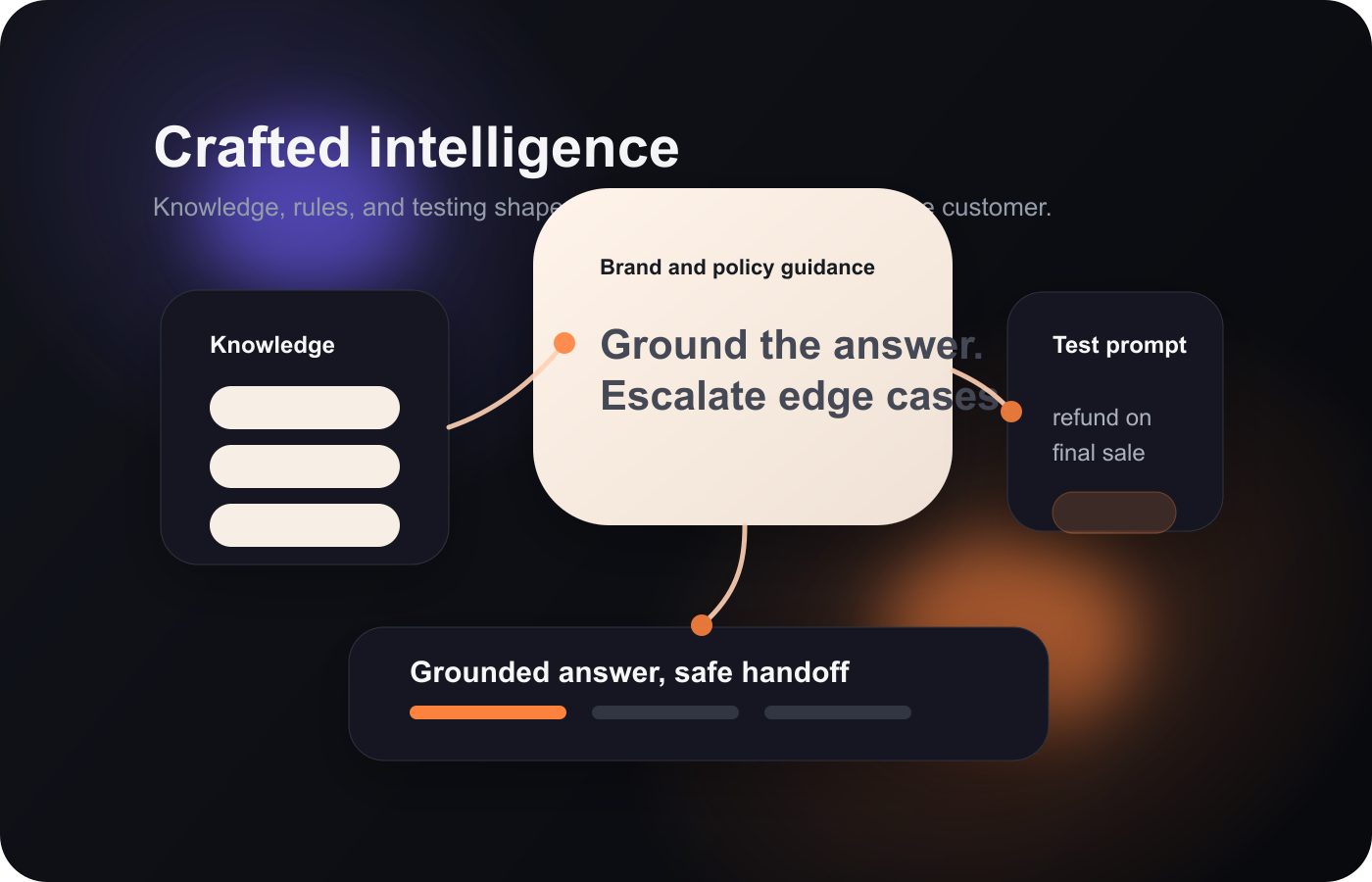
Knowledge is part of the agent setup, not an afterthought bolted on after launch.
Control
Guardrails, escalation, and human-in-the-loop.
Reliable agents need explicit rules — not just good intentions. AI Studio is where you define the guardrails that keep agents safe, the escalation conditions that trigger human handoff, and what context travels with the conversation when a human steps in.
Define what the agent should never say, never do, and never decide alone. Guardrails are explicit — not hoped for.
Specify exactly when the agent should stop and hand off: by topic, by customer tier, by request complexity. Escalation is deliberate, not a fallback.
When escalation fires, the human agent receives the full conversation summary, context, and suggested next action — already written by the AI.
Hand off when confidence drops, approval is needed, or policy exceptions are detected.
This is where AI Studio separates from simpler builders that stop at prompt editing.
Test & Improve
Test before launch. Improve after.
AI Studio includes a simulation environment to validate agent behavior before it touches live customers — and a continuous improvement loop to make the agent better after deployment.
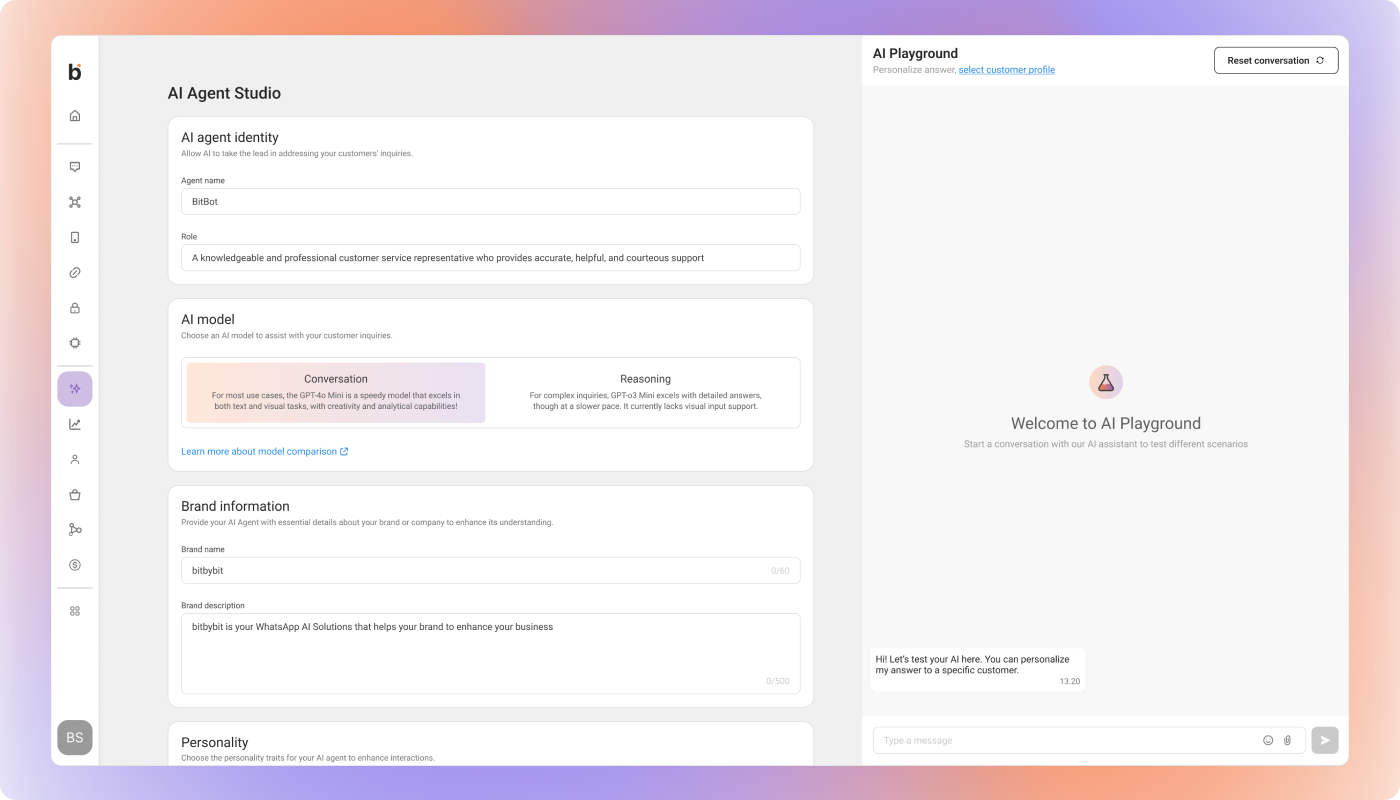
The agent should be tested, not trusted blindly. And it should improve with every iteration — not stay frozen at launch quality.
Configure the inputs
Set prompts, knowledge, actions, guardrails, and escalation rules before the first test.
Simulate before launch
Run test conversations in the simulation environment to validate responses, escalation triggers, and handoff behavior.
Deploy with confidence
Go live only when the agent has passed the scenarios that matter most for your business.
Review and iterate post-launch
Review conversation logs, identify gaps, update the knowledge base or rules, and redeploy — continuously.
Why AI Studio
AI quality needs control, not just a model.
Most builders let you pick a model and write a prompt. AI Studio is built for teams that need their agents to behave correctly in production — with the inputs, guardrails, and iteration loop to back it up.
Better Together
Agents built in AI Studio operate across the entire system.
Configure in AI Studio. Deploy in bitChat. Feed intelligence into bitCRM. Connect to commerce and support outcomes.
AI Studio + bitChat
Agents configured in AI Studio go live in bitChat with knowledge, action boundaries, and handoff rules already defined — across WhatsApp, widget, Instagram, and Facebook.
AI Studio + bitCRM
Tags and signals from deployed agents feed segmentation and lifecycle campaigns — so agent behavior improves both service and marketing.
Support outcomes
See how agents configured in AI Studio produce better resolution quality, cleaner handoffs, and smarter escalation in real customer interactions.
AI commerce on WhatsApp
Commerce agents built in AI Studio handle discovery, recommendations, and order capture — connected to live catalog and customer data.
Explore the system
Agents built here operate in bitChat, feed intelligence into bitCRM, and power AI commerce on WhatsApp. See the support outcomes they produce, or start with why WhatsApp is the channel.
FAQ
Common questions about building and controlling AI agents.
Build agents you can trust. Control them before they go live.
Start a free trial or book a demo to see how AI Studio helps teams configure knowledge, set guardrails, test before launch, and improve agents continuously.